Free video downloader · Chrome & Firefox
Save any video you watch. In one click.
Press play, open Kescher, press Download. A stream becomes one MP4 that plays anywhere, and the sound alone becomes an MP3.
- FreeNo limit, no account, no subscription.
- PrivateNo tracking. Nothing leaves your browser.
- Nothing to installNo companion app. It all runs in the browser.
- 14 languagesThe whole extension, not just its store page.
How it works
Download videos from any website.
-
01Press play
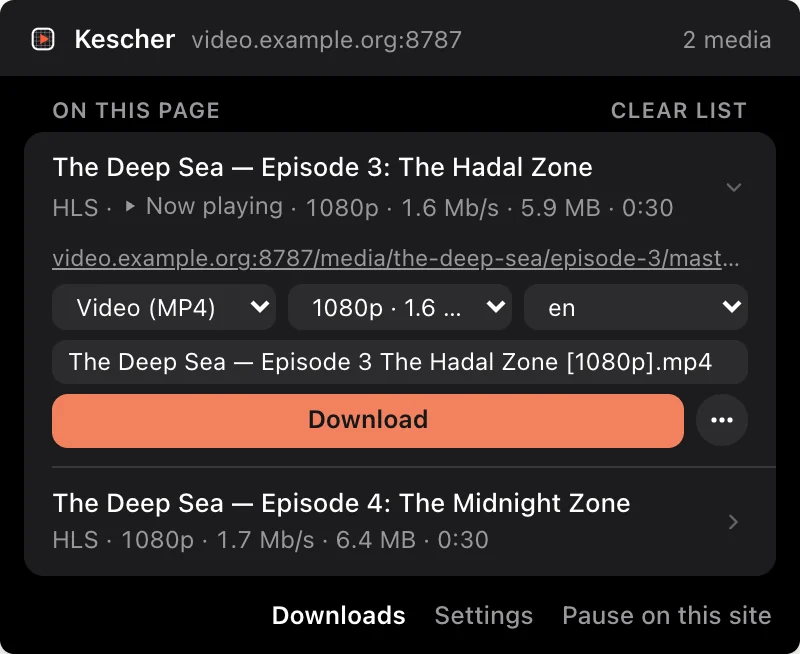
On any page. The Kescher icon counts what it found while you watch. It fetches nothing on its own.
-
02Pick the version
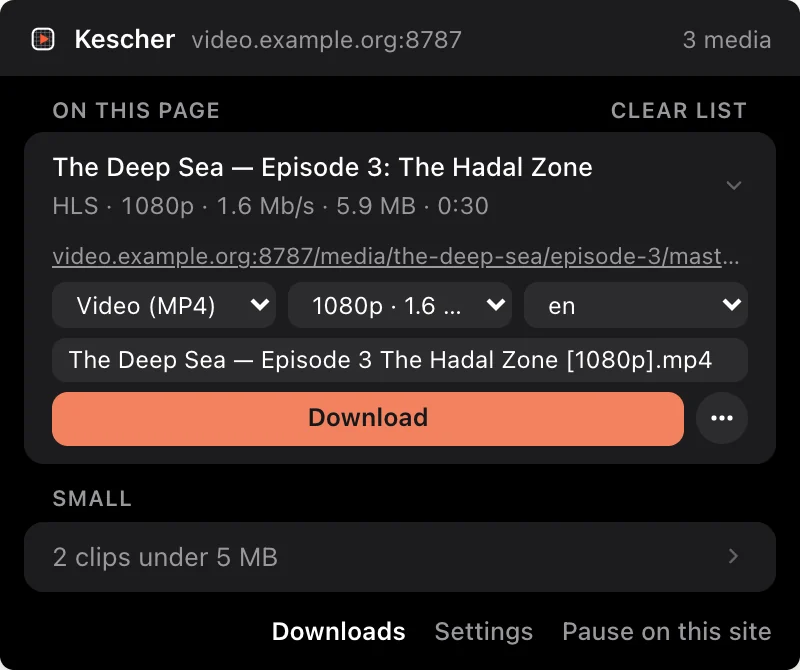
Video or just the sound, the quality and the audio language, and the file name. Or set them once and forget them.
-
03Done
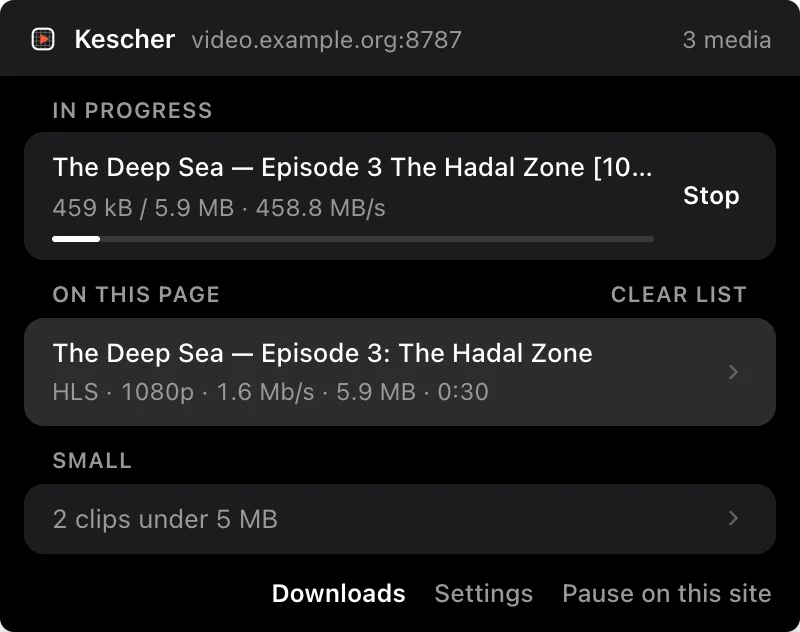
One file on your disk, with title and cover art inside. A two‑hour film streams straight to disk and never fills your memory.
HLS (m3u8) and DASH streams
Hundreds of pieces in. One file out.
A streaming video does not arrive as a file. It arrives in hundreds of small pieces, and the player throws each one away once it has played it. Kescher catches every piece, in order, and hands you a single MP4 that plays anywhere.
No frame is re‑encoded. The picture on your disk is the picture the site sent. A plain MP4 or WebM needs none of this: it is saved as it was delivered.
Audio only · M4A and MP3
Take the sound. Leave the picture behind.
Pick MP3 or M4A instead of video. M4A is the original sound track, the same bytes the site sent. MP3 is converted right there in your browser, with nothing installed and nothing uploaded to a converter.
A ninety‑minute lecture becomes eighty megabytes you can put on a phone and forget about.
Subtitles, tags and cover
The file turns up already knowing what it is.
While the page is open, Kescher reads what it says about itself: the title, the artist, the date and the cover art it was showing. All of it goes into the finished file’s tags. Your player and your file browser have something to display, and your library sorts itself.
Subtitle tracks are saved beside the video, in their own file, in the language you asked for. The name you typed in the panel is the name on disk.
Compare
Free means free. Not a free trial.
Many downloaders let you save a few streams for free and make you wait or pay for the next one. Kescher does not count.
A typical free tier
- A handful of stream downloads
- then a wait before the next one
- or a subscription to skip it
Kescher
- Every stream download
- No waiting, no countdown
- No subscription, no watermark
Install
One click, in either store.
Kescher is in the Chrome Web Store and on addons.mozilla.org. Both listings carry the same build, reviewed by the store.
Chrome Web Store
Chrome and its relatives
Chrome · Vivaldi · Edge · Brave · Opera
Install from the Chrome Web Store- Open the listing and press Add to Chrome.
- Confirm the permissions. The privacy page explains each one.
- Open Details and allow Kescher in incognito if you want it in private windows.
addons.mozilla.org
Firefox
Firefox, on desktop
Install from addons.mozilla.org- Open the listing and press Add to Firefox.
- Confirm the permissions. The privacy page explains each one.
- Tick Run in Private Windows in the dialog that follows if you want Kescher there too.
Pin the icon to your toolbar afterwards and Kescher will show you its count on every page that plays something.
FAQ
The questions that come up first.
Does Kescher work on every website?
There is no list of supported sites in Kescher. It watches the requests the page you are on makes, and whatever that page plays (HLS, DASH, MP4 or WebM) turns up in the panel. The exception is DRM: copy‑protected video is marked as protected and cannot be downloaded.
How do I download an m3u8 or HLS stream?
Open the page and start the video. Kescher sees the m3u8 playlist the player loads, lists the stream in its panel with every quality it offers, and saves it as one MP4 when you press Download. You never have to copy the playlist address yourself.
Can Kescher save a blob: video?
Usually, yes. A blob: address is not the video itself, only the player's buffer. Behind it the page loads an HLS or DASH stream or a plain file, and Kescher saves the stream those requests belong to. Copy‑protected video is the exception: it is marked as protected and cannot be downloaded. Live streams cannot be recorded yet.
Can I save just the audio as MP3?
Yes. Choose MP3 or M4A as the output instead of video. M4A keeps the original sound track as the site sent it, and MP3 is converted right in your browser, with nothing uploaded anywhere.
Does it download from Netflix?
No. Netflix and services like it protect their video with DRM, and Kescher does not circumvent copy protection. Protected video is marked as protected in the panel and cannot be downloaded.
Is Kescher free?
Yes, in the plain sense of the word: every download, in every quantity, at no charge. No daily quota, no throttle, no paid tier, no licence key, no account, no e‑mail address.
Does it send my data anywhere?
The extension makes no request except to the media URLs, manifests and keys belonging to the download you started. No analytics, no remote code, no server of ours anywhere in the path, and it never reads or copies your cookies. This website counts visits without cookies; the privacy statement sets out both.
Which browsers does it work in?
Chrome, Vivaldi, Edge, Brave and Opera from the Chrome Web Store, and Firefox on the desktop from addons.mozilla.org. Both are the same build.
How do I install it?
From the store of your browser, in one click: the Chrome Web Store for Chrome, Vivaldi, Edge, Brave and Opera, addons.mozilla.org for Firefox. Press Add to Chrome or Add to Firefox, confirm the permissions, and pin the icon to your toolbar.
Privacy
Nothing leaves the browser.
The extension makes no request except to the media URLs, manifests and keys belonging to the download you started. No analytics, no remote code, no account, no server of ours anywhere in the path.
It never reads or copies your cookies. The browser attaches those itself, exactly as it does for the page you are on. And nothing is held in memory: a file streams to disk while it downloads, so a two‑hour film is never a two‑hour file in RAM.
Licence
PolyForm Shield 1.0.0.
Free to use and to build on, for you and for the people you work with. The one thing it rules out is turning Kescher into a competing product.
Kescher is German for a dip net: the long‑handled one you lower into the water once and lift out with everything already in it. That is roughly the idea.